We may earn a commission through affiliate links, at no separate charge from VerdictSift. Ordinary manufacturer links are also included. How our links work.
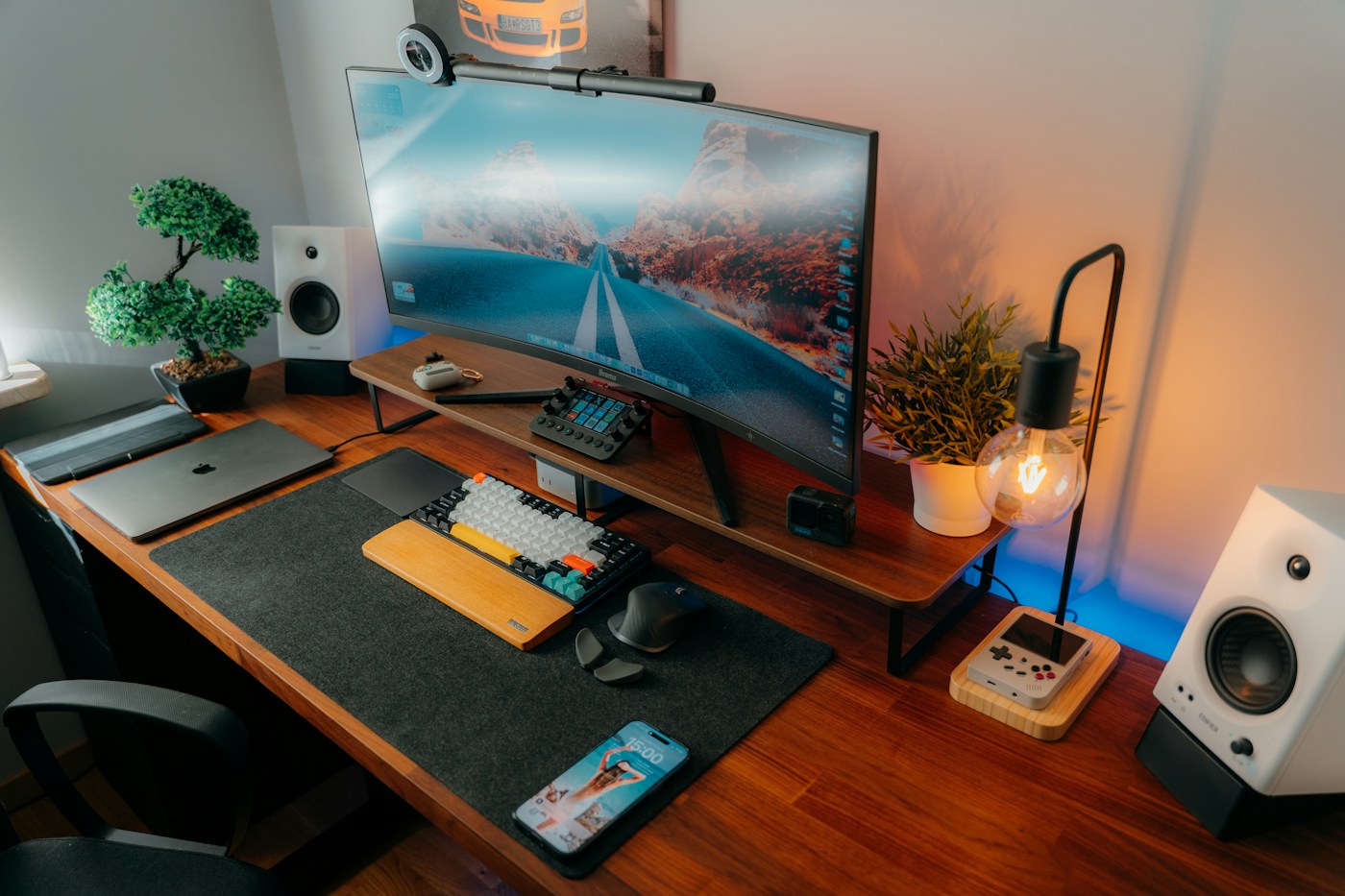
Choose an adjustable task lamp when you read or write beside a computer. A monitor light bar can save surface space if it fits the display and illuminates the area you need. Prioritize placement and usable controls over extra modes or dramatic brightness claims.
Your options, at a glance
Start with the way you will use it, then decide which compromise makes sense.
| Option | A good fit for | The tradeoff |
|---|---|---|
| Adjustable desk lamp | Paperwork and flexible tasks | Base or clamp needs space |
| Monitor light bar | Saving surface area | Display and webcam fit matter |
| Simple fixed lamp | A consistent light position | Less control over direction |
Identify what needs lighting
A screen, a notebook and a craft project are different visual tasks. If you mostly work on a computer, the lamp may be for the desk around it rather than the screen itself. If you write by hand, consider where your hand casts a shadow. In a shared room, think about whether the light reaches someone resting or watching television nearby. Map the work area before comparing products. A powerful lamp aimed in the wrong direction can be less useful than a smaller adjustable one placed thoughtfully.
Check the base or clamp first
A broad base takes up surface area that might already be occupied by a notebook and keyboard. A clamp saves that area but requires a suitable desk edge and clear space beneath it. Measure the desk thickness and inspect its construction before choosing a clamp. Check whether drawers, cable trays or a rear frame interfere. A monitor-mounted light has a different fit question: display thickness, shape and any webcam placement. Choose the mounting method that works with your furniture, not the one that looks most minimal in a product photograph.
Look for useful adjustment
An adjustable arm and head can help direct light without moving the entire lamp. Check the reach and whether the head stays in position. A tall arm may collide with shelves, while a short one may not reach the notebook beside a large monitor. Consider whether the control is accessible when the lamp is placed where you need it. A touch button hidden behind the screen can be inconvenient. The useful feature is not simply that the lamp moves, but that it moves into your actual working position and stays there.
Consider reflections at your seat
Look at the screen from your normal position and notice reflections from windows and existing lights. A lamp's placement and direction can add another reflection. Choose a design that allows you to adjust the angle, and test it in the room rather than relying on a marketing claim. Monitor light bars have their own compatibility and placement guidance. Do not assume a particular design eliminates glare in every setup. A small change to the desk position or surrounding lighting may be as important as the lamp you buy.
Brightness and color settings should be simple
Dimming can be useful when daylight changes, and adjustable color settings may suit different preferences. Look for clear controls you will actually use rather than the longest menu of presets. Check whether the lamp remembers its setting and whether the lowest level suits the room. If the product uses a replaceable bulb, verify the compatible type and limits; if it uses an integrated light source, understand the support and replacement arrangements. The ability to maintain the lamp is part of its value, not just an after-purchase concern.
Plan power without clutter
Check cord length and the required power source. A USB connection does not automatically mean any spare port or charger is suitable; use the specified supply. Consider whether plugging into a monitor or computer changes availability when that device sleeps. Keep the cable away from moving arms and busy edges. If the lamp includes charging features, confirm compatibility with the devices you use before treating them as a benefit. A simple dedicated lamp can be easier to maintain than a combined accessory whose extra features are rarely used.
Try a normal work session
Before settling on the final position, use the lamp for the tasks that prompted the purchase: writing notes, reading a printed document and switching back to the screen. Check reach, controls and reflections at different times of day. Follow return rules and keep packaging until you know the fit works. Avoid adding a lamp merely because the desk looks unfinished. The right purchase improves a real task and remains convenient when the room is busy, rather than becoming another object you have to move out of the way.
Common questions
Is a monitor light bar always better for computer work?
No. It depends on the display, desk depth and tasks around the screen. A conventional adjustable lamp may be more useful if you often move between paper, craft work and a computer.
Should I replace the room light too?
Assess the whole room first. A task lamp adds local light, but it may not solve an uncomfortable contrast between a bright desk and a very dark surrounding room. Adjust placement and existing lighting before adding more products.
Sources & further reading
This guide combines practical shopping considerations with information from the sources below. It does not represent hands-on product testing.
Source review: November 20, 2026. Product designs and seller terms can change.
Send a correction or a question